 Kart Karnage

 Eesti
 Suomi
 Deutsch
 Español
 Français
 Русский
 Português (Brasil)
 Bahasa Indonesia
First race
- Turn the phone sideways. If you use tilt steering, hold it at a comfortable angle when starting.
- Choose a track and mode. Start with Silverwater Circuit and select Short or Long. Choose Race or Time Trial and set the number of laps where available.
- Start driving. Wait for the countdown, then hold the throttle on the right. Brake on the left before entering a tight corner.
Driving controls
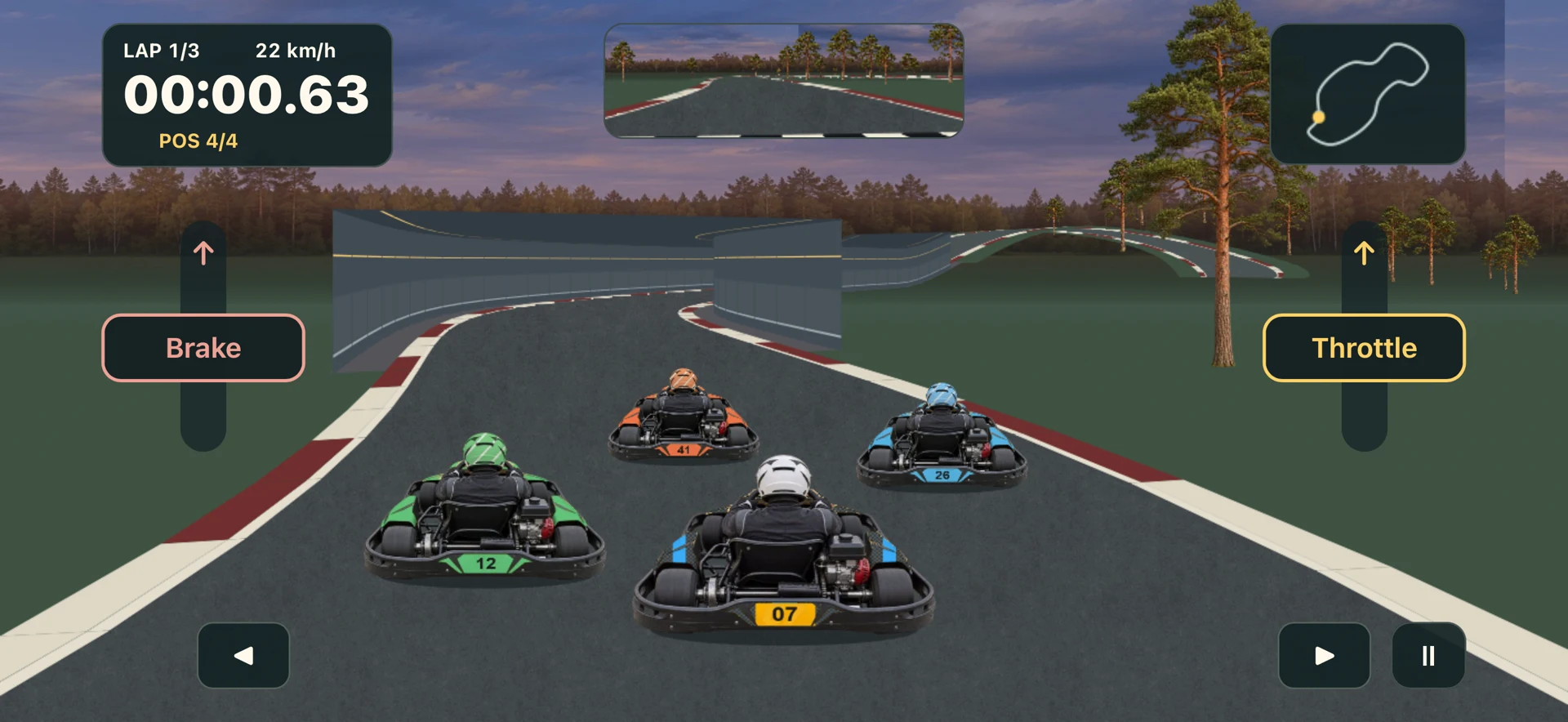
- Steer
- Tilt the left or right edge of the phone down to turn that way. With thumb controls, hold the corresponding arrow.
- Throttle and brake
- Hold the right pedal to accelerate and the left pedal to brake. Slide the pedal upward while holding it to increase the effect.
- Pause or get back on track
- On Android, use the system Back button or gesture. On iPhone, tap Pause. Choose Back on track if stuck. Using it invalidates the current lap for records.
Settings
Open Settings from the main menu. Scroll the menu if the button is below the visible area.
- Language
- Open the language selector and choose the game menu language. On Android it is in the main menu. On iPhone it is in Settings.
- Steering
- Choose tilt steering to steer by moving the phone, or thumb controls to use the left and right buttons on the screen.
- Steering sensitivity
- At a lower setting, the kart responds more gently. Raise the slider if you want it to turn with a smaller movement. Try a familiar bend after each change.
- Rear-view mirror
- Shows the track behind you so you can see a kart closing in.
- Sound
- Turns game audio on or off.
- Website and privacy
- Website opens this site in your browser. Privacy explains what is saved on the device.
Additional settings on Android
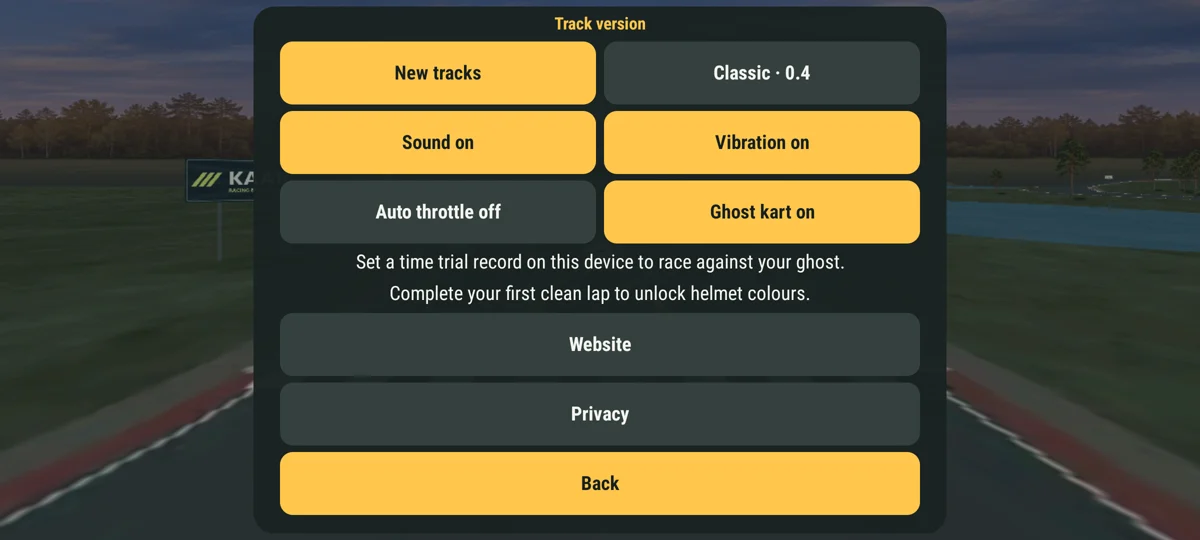
- Track version
- Switch between the newer venues and the two classic layouts. The selection changes which tracks appear in the menu.
- Vibration
- Turns the phone’s vibration feedback on or off.
- Auto throttle
- The kart accelerates without you having to hold the throttle. Use the brake before a tight corner.
- Ghost kart
- In Time Trial, follow a ghost of a record run saved on this device. The ghost appears once there is a recorded run to compare with.
- Helmet colour
- Complete your first clean lap to unlock helmet colours.
Race modes
- Race and time trial
- Race against computer-controlled karts or drive against your own best time.
- Qualifying and OK final
- Qualifying gives you ten minutes to set a clean lap. The OK final runs for 25 laps.
- Cups
- Choose a cup and race several stages in order. Places earn 10, 7, 5 or 3 points. If points are tied, lower total time wins.
- Android extras
- Practise or drive a forest adventure.
Race a friend
On Android, two players race offline by taking turns on the same phone. Both drive the same track and the same number of laps.
- Set up the duel. In the main menu, select Race a friend under Race mode. Pick a track and the number of laps.
- Player 1 drives first. Tap Start driving and finish all the laps. The game shows the total time and asks you to pass the phone to your friend.
- Your friend takes over. Your friend taps Start the second run and drives the same distance.
- Compare times. The results show both total times. The faster player wins. Equal times are a draw. Tap New duel for a rematch.
Garage and records
Open Garage to choose your kart’s body colour and design. Open Records in the main menu to check your best times. For a clean lap, pass the checkpoints in order and finish without using Back on track.
Records are stored on this device. On Android, the game also saves replays and races in progress on the device.
Contact support ↗